First disappointment is discovering a general lack of documentation. But my first appreciation is how simple it is once you figure out what needs to be done.
CouchDB runs on erlang, so you need to install erlang from the EPEL repository. In order to use that repository on CentOS 6, run the following command:
sudo rpm -Uvh http://download.fedoraproject.org/pub/epel/6/i386/epel-release-6-5.noarch.rpmNow you can install erlang:
sudo yum install erlangThat will bring with it a number of dependencies, such as wxWidgets. With erlang now available, it's time to download the CouchDB source code from here. As of this writing, the latest release is 1.2.0, although 1.3 is in alpha in master. I'm electing to use the stable release.
Now that you have the source, unpack, configure, build, and install it.
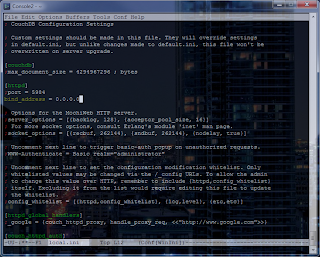
tar zxvf apache-couchdb-1.2.0.tar.gzIf you want to be able to reach the database from other computers on the network, you'll want to edit the configuration file:
./configure --with-erlang=/usr/lib64/erlang/usr/include
make
sudo make install
sudo emacs /usr/local/etc/couchdb/local.iniUnder the [httpd] section, uncomment the bind_address setting and change the value to 0.0.0.0 if you want couchdb to listen on all available interfaces.
Also, since you've installed from source instead of from a package, let's configure CouchDB to run as a daemon that starts up when we boot.
sudo ln -s /usr/local/etc/rc.d/couchdb /etc/init.d/couchdbFinally, let's create a couchdb service account that will run CouchDB, and then fix some file permissions to give the service account access to what it needs at runtime.
sudo chkconfig --add couchdb
sudo chkconfig --level 345 couchdb on
sudo adduser -r --home /usr/local/var/lib/couchdb -M --shell /bin/bash --comment "CouchDB Administrator" couchdb
sudo chown -R couchdb: /usr/local/var/lib/couchdb /usr/local/var/log/couchdb /usr/local/var/run/couchdb /usr/local/etc/couchdbThat's it! You've installed CouchDB on CentOS 6! Start the database with:
sudo service couchdb startYou should now be able to get the welcome result by browsing to http://localhost:5984/ (unless, of course, you just installed it on a remote machine).
Time to Relax!